Ethernet Interfaces
This section describes the maintenance actions for managing multiple ethernet interfaces.
|
●
|
The OVOC Main Management interface only supports IPv4. |
|
●
|
Each IPv4 interface can be configured for NAT and one of the IPv4 interfaces can be configured to work in the Cloud Architecture mode. |
In case gateways are located in different subnets, static routes should be provisioned to allow the connection from 'Southbound network interfaces' to each one of the subnets. For Static Routes configuration, Static Routes.
|
➢
|
To configure Ethernet Interfaces: |
|
1.
|
From the Network Configuration menu, choose Ethernet Interfaces, and then press Enter. |
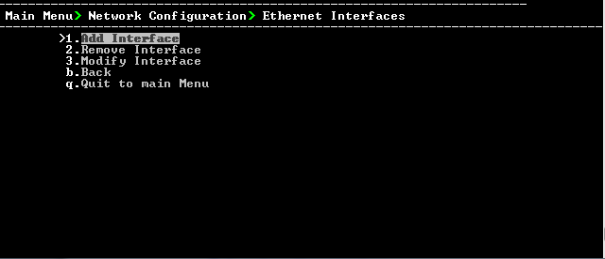
OVOC Server Manager – Configure Ethernet Interfaces
|
2.
|
Choose from one of the following options: |
|
●
|
Remove Interface – Removes an existing interface from the OVOC server (Remove Interface). |
|
●
|
Modify Interface – Modifies an existing interface from the OVOC server (Modify Interface). |